RapidSurf Professional Capabilities
Complete CAD platform: Class-A surface modeling • Reverse engineering • Advanced meshing for end-to-end product development workflows
🔄 Mesh-to-Surface Conversion
Convert quad-dominant mesh models into G1 continuous B-spline surface models. Perfect for reverse engineering, scan data processing, and converting polygon models to manufacturable parametric surfaces.
🎯 Quad-Dominant Mesh to G1 B-spline Surfaces
RapidSurf automatically converts quad-dominant meshes into smooth, tangent-continuous B-spline surface patches. This powerful reverse engineering capability transforms polygon models from 3D scanning, mesh modeling software, or other sources into editable parametric surfaces suitable for manufacturing and further CAD operations.
- ✓ Automatic Topology Analysis: Intelligent detection and processing of quad-dominant mesh structure
- ✓ G1 Continuity: Tangent-continuous transitions between adjacent surface patches
- ✓ High-Quality Fitting: Precise surface approximation with minimal deviation from original mesh
- ✓ Zebra Stripe Analysis: Built-in quality verification to ensure smooth, fair surfaces
📸 Real-World Conversion Examples
See the power of mesh-to-surface conversion with these production-quality results. Each example shows the original mesh model, the converted B-spline surfaces, and zebra stripe analysis for quality verification.
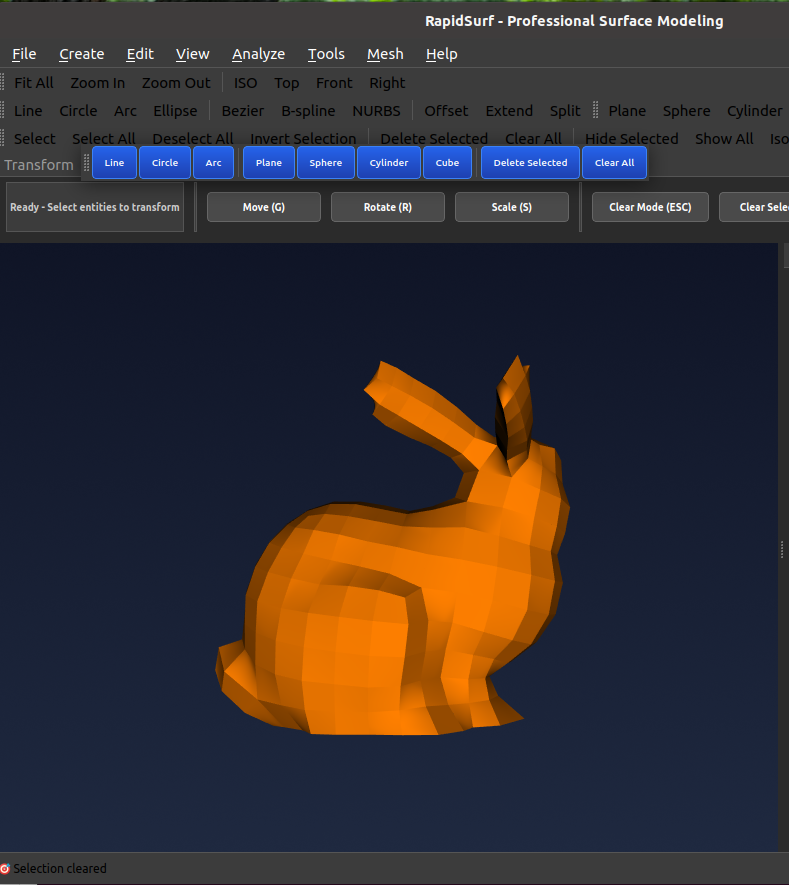
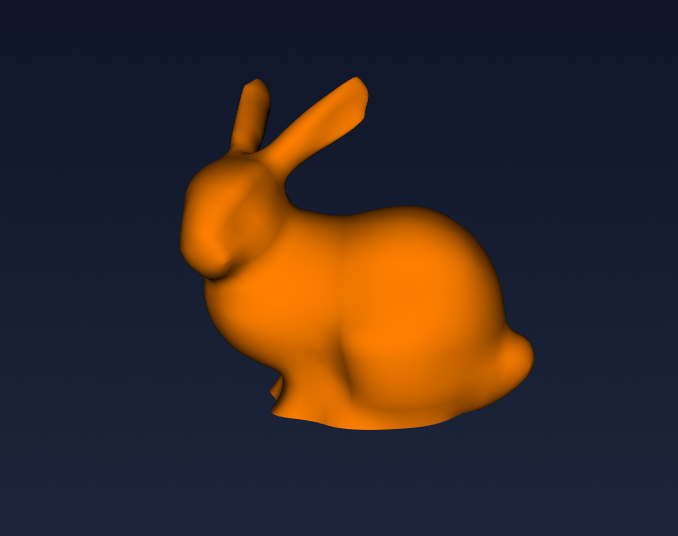
Stanford Bunny Model
Complex organic shape with smooth curvature transitions demonstrates excellent surface quality and G1 continuity across patches.
Original Mesh Model
B-spline Surface Result
Zebra Stripe Analysis
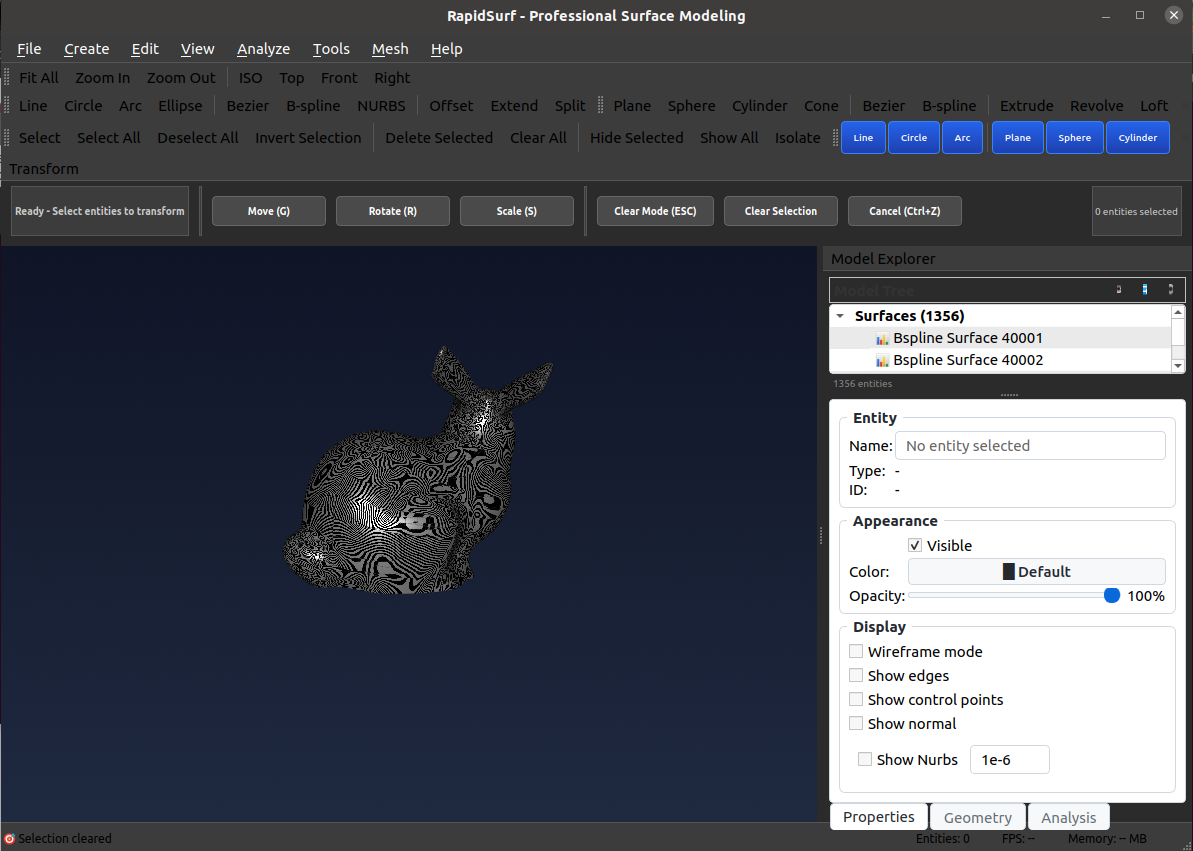
Smooth zebra stripes confirm excellent surface quality and G1 continuity
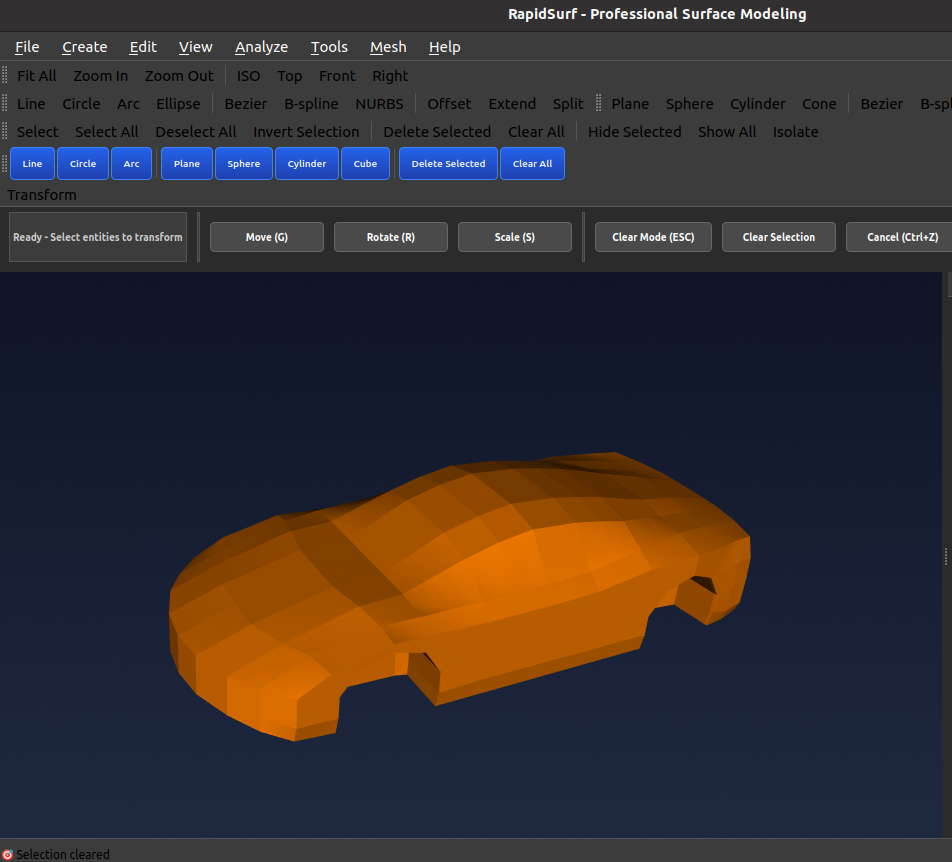
Automotive Part Model
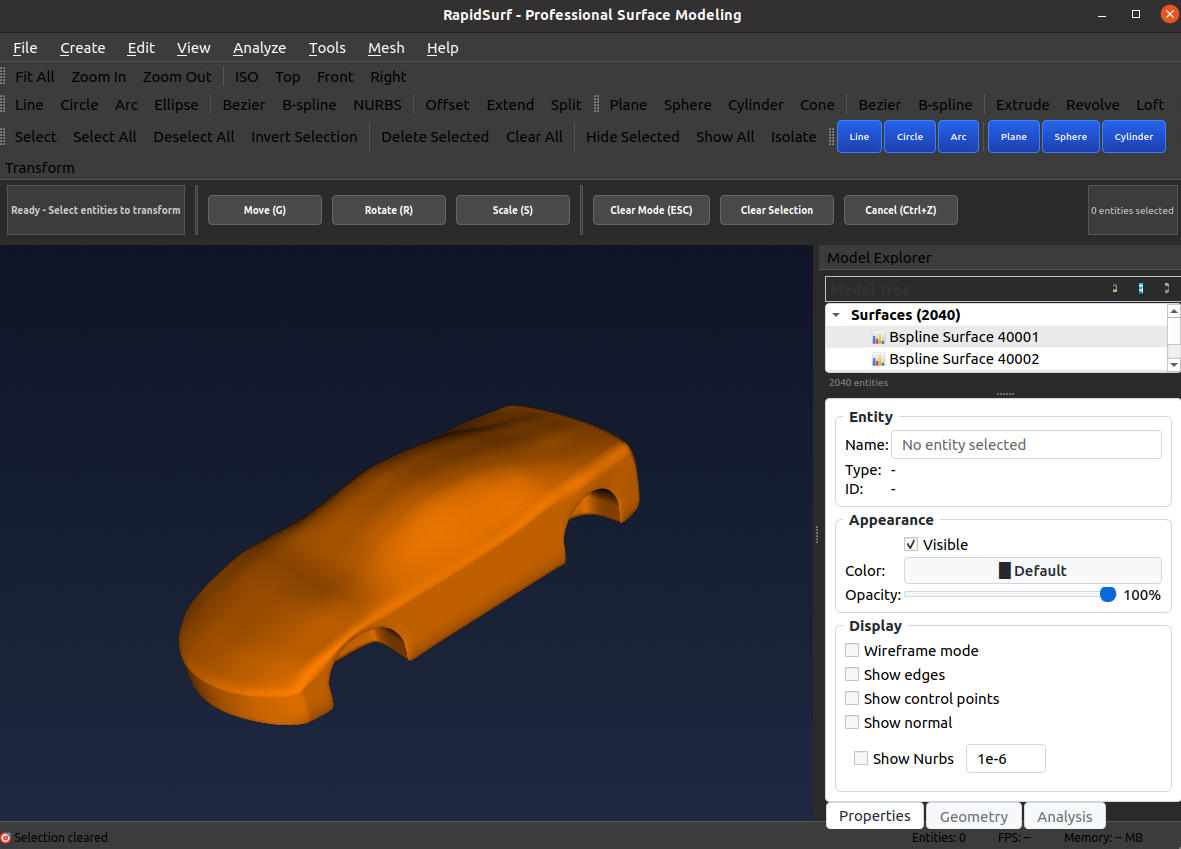
Complex automotive geometry with mixed curvature regions showcases the algorithm's ability to handle challenging industrial shapes.
Original Mesh Model
B-spline Surface Result
Zebra Stripe Analysis
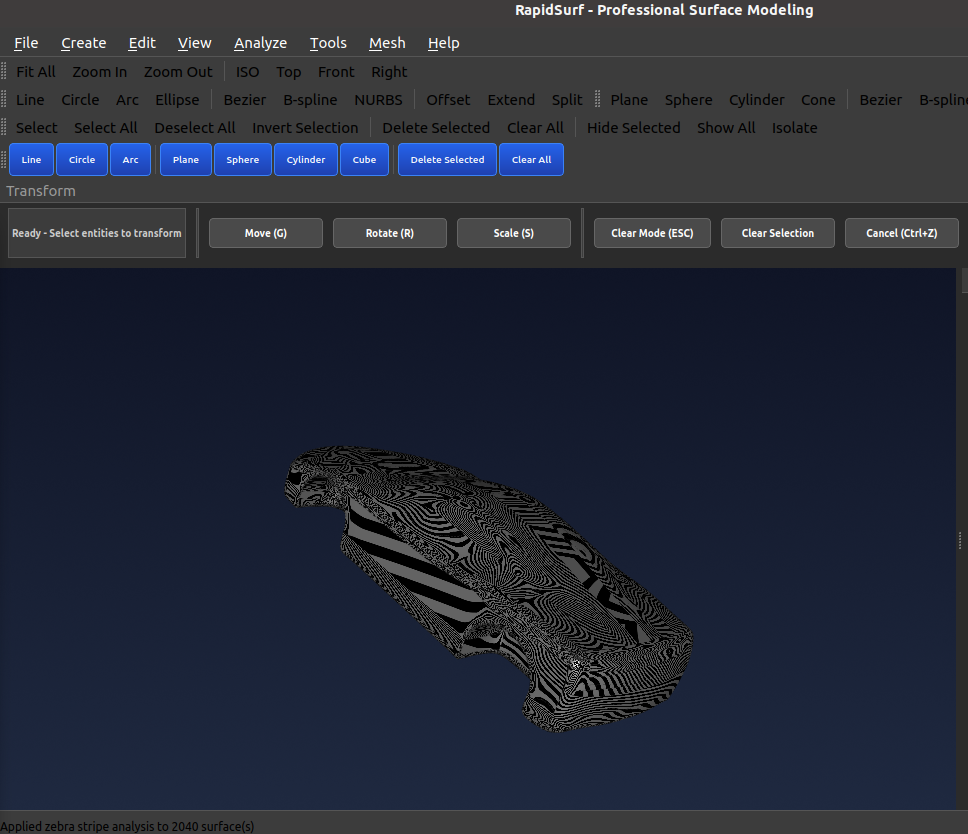
Continuous stripes across panel transitions verify G1 quality
Human Head Model
Highly detailed organic form with subtle surface variations demonstrates precision fitting and smooth continuity preservation.
Original Mesh Model
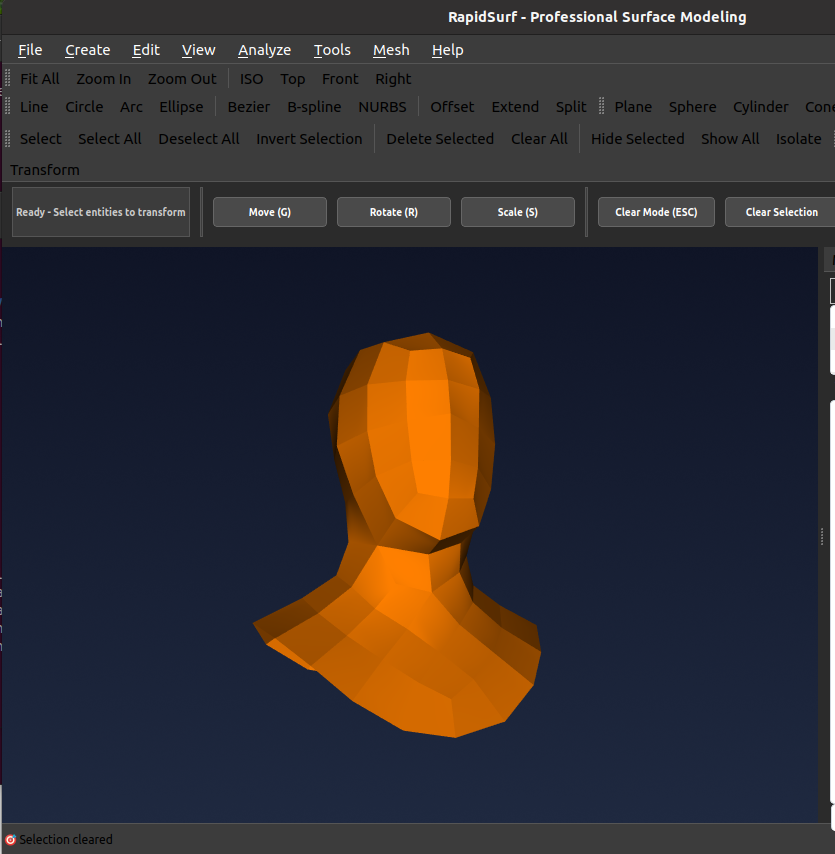
B-spline Surface Result
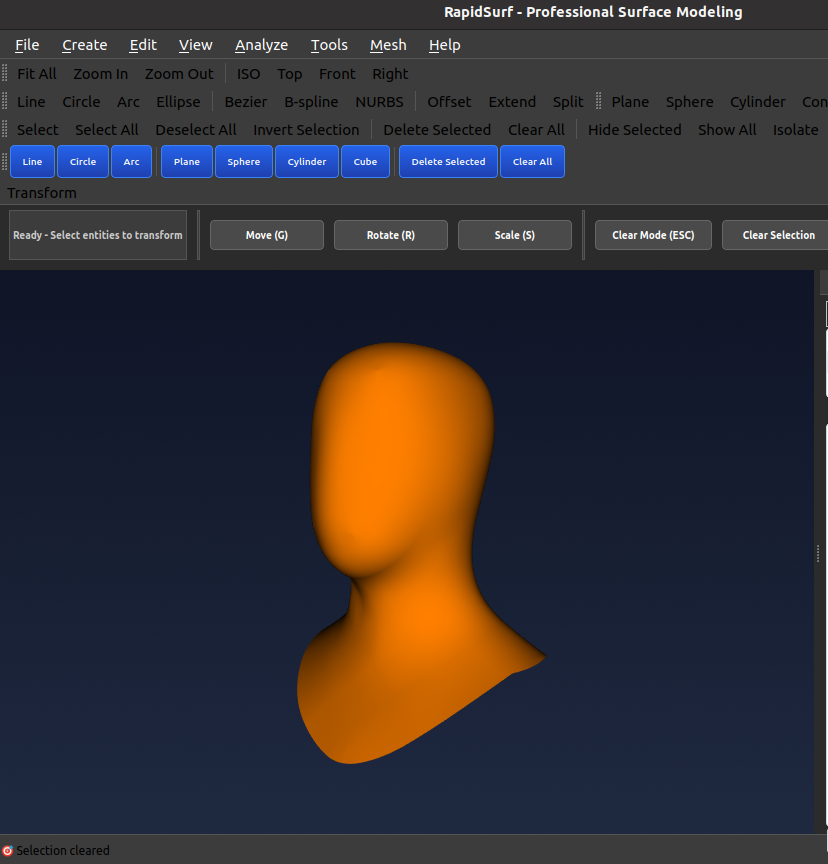
Zebra Stripe Analysis
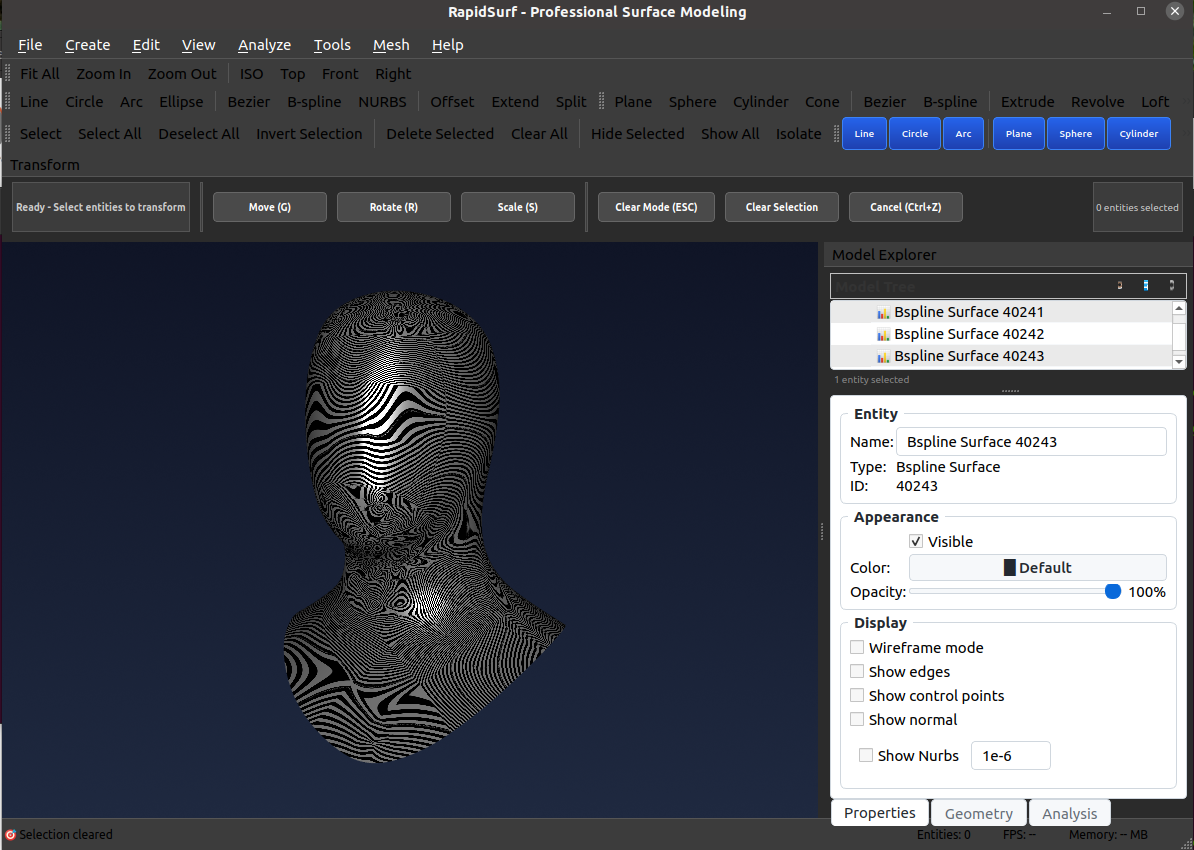
Clean zebra patterns confirm high-quality surface reconstruction
🔷 Meshing Capabilities
Professional mesh creation, manipulation, and conversion tools for advanced surface modeling workflows. Import meshes, create meshes from surfaces, and convert between triangle and quad topologies.
🚀 Next Beta Release: These meshing capabilities will be available in the next beta test version. For more information, please contact us directly.
🎯 Mesh Creation & Import
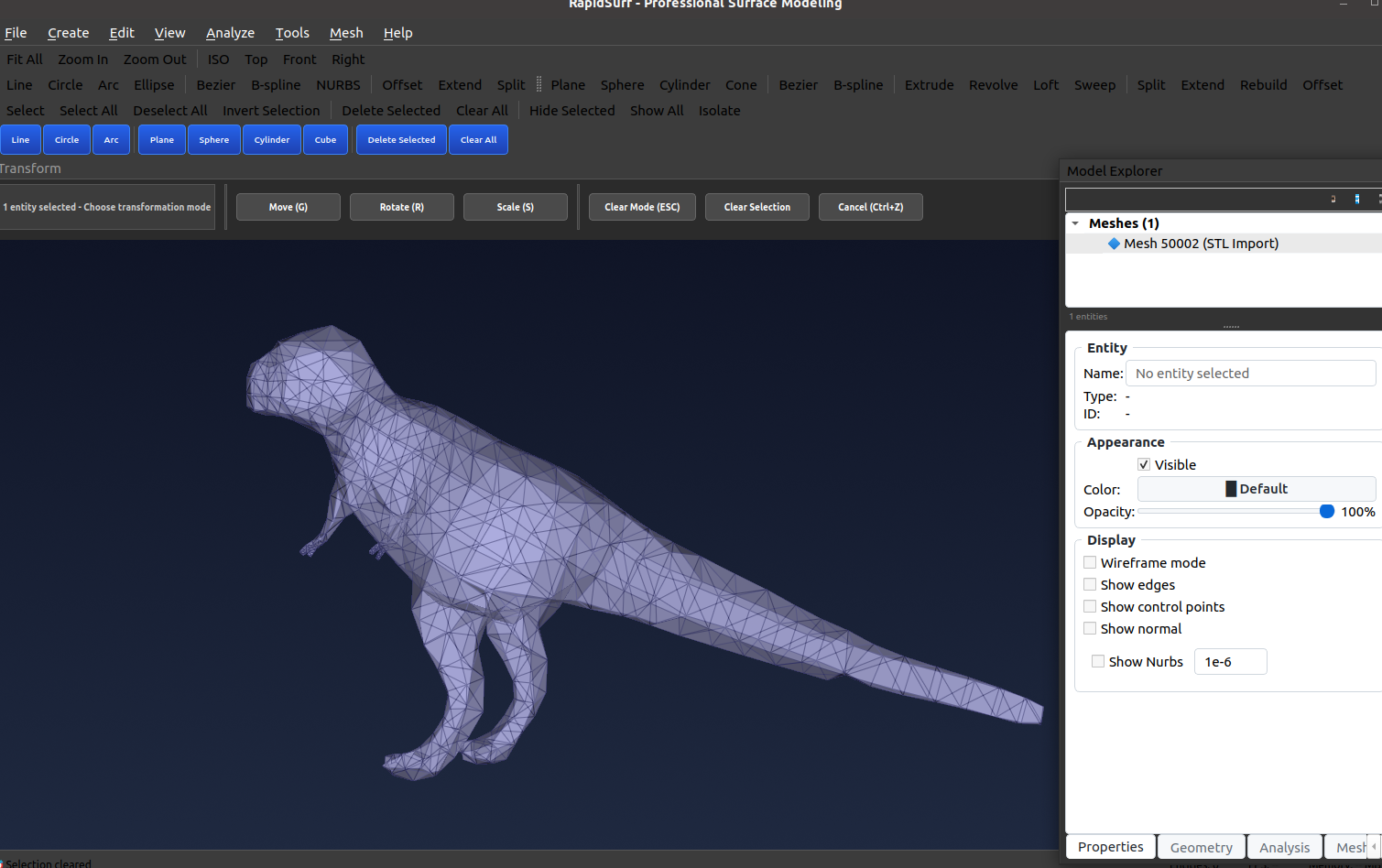
Import OBJ/STL Files
Load triangle and quad meshes from industry-standard OBJ and STL file formats for further processing
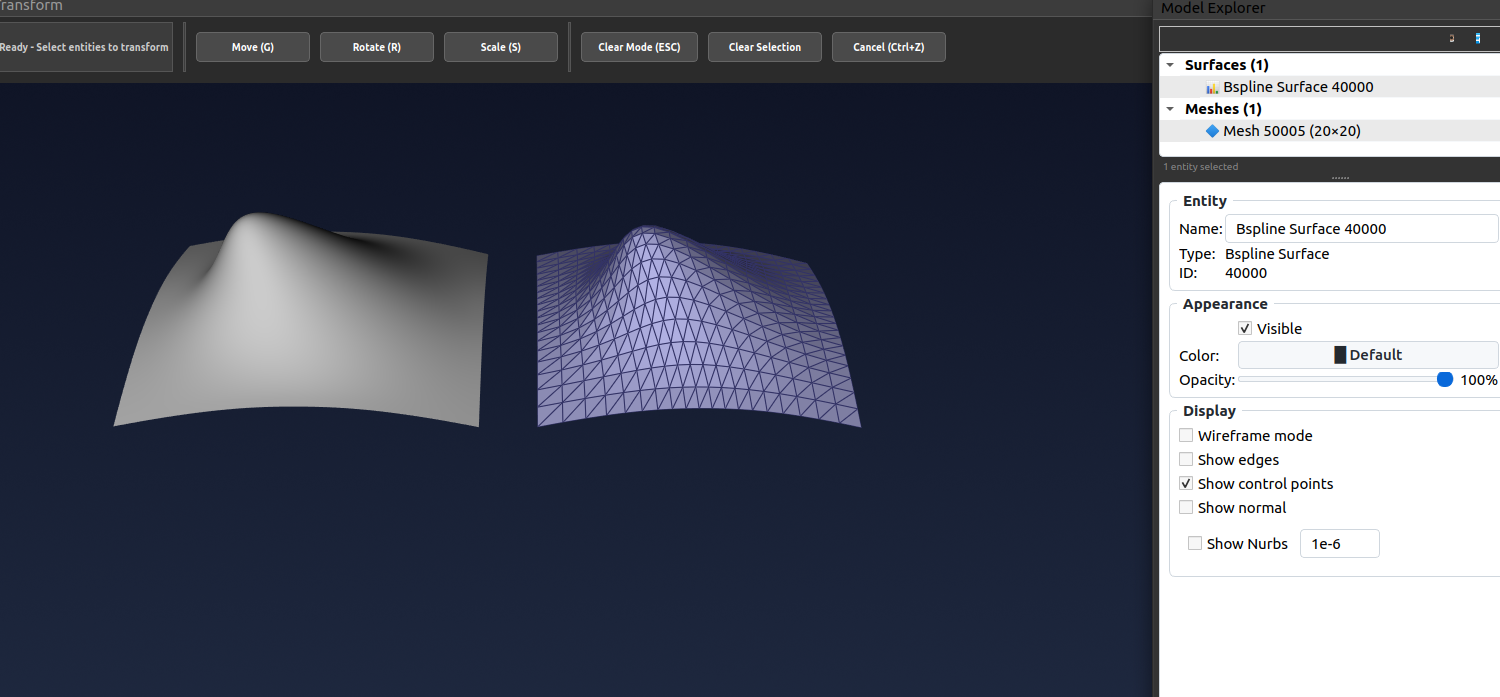
Mesh from Surface
Generate high-quality meshes from Class-A NURBS surfaces with adaptive tessellation and curvature control
⚙️ Mesh Manipulation & Editing
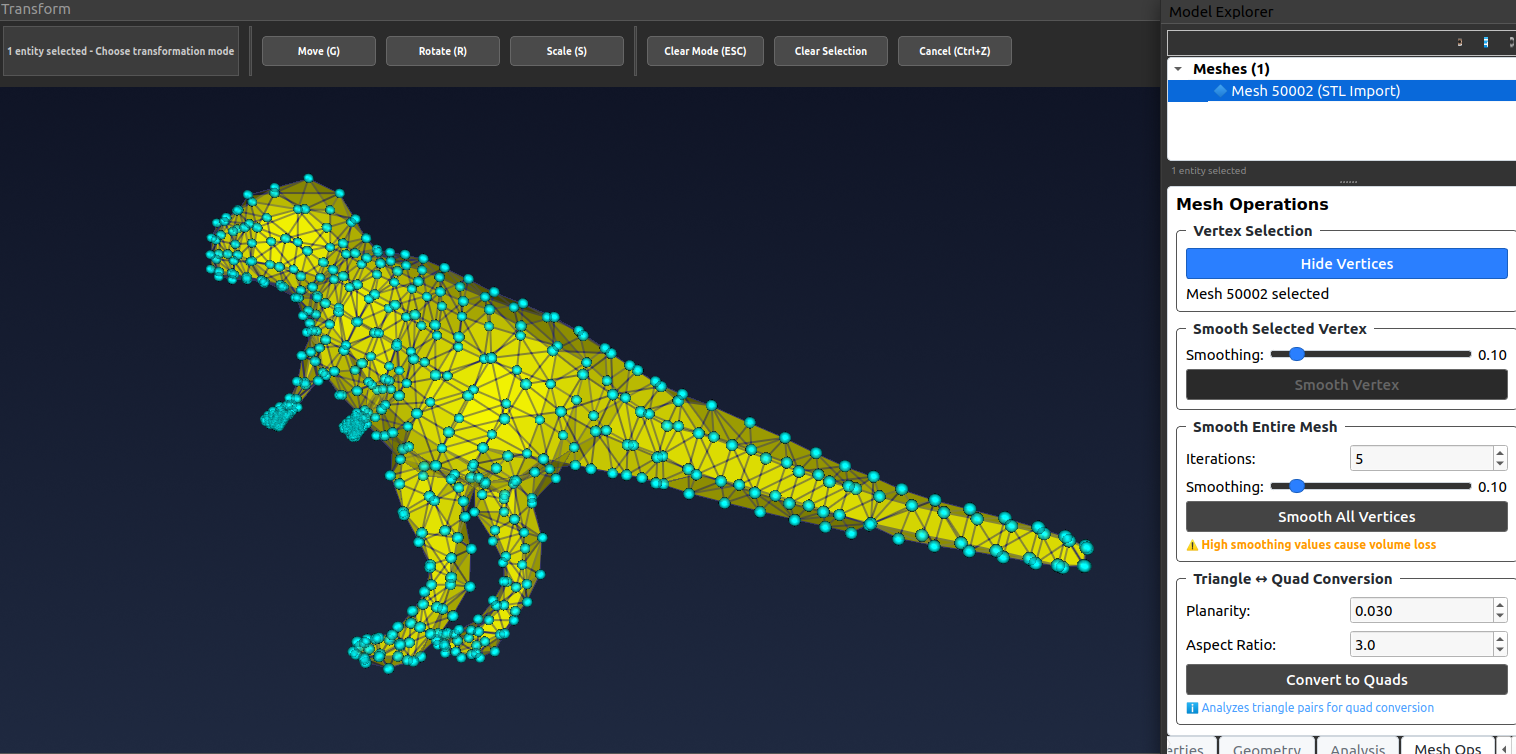
Show/Hide Vertices
Toggle vertex visibility for cleaner visualization and easier selection in complex meshes
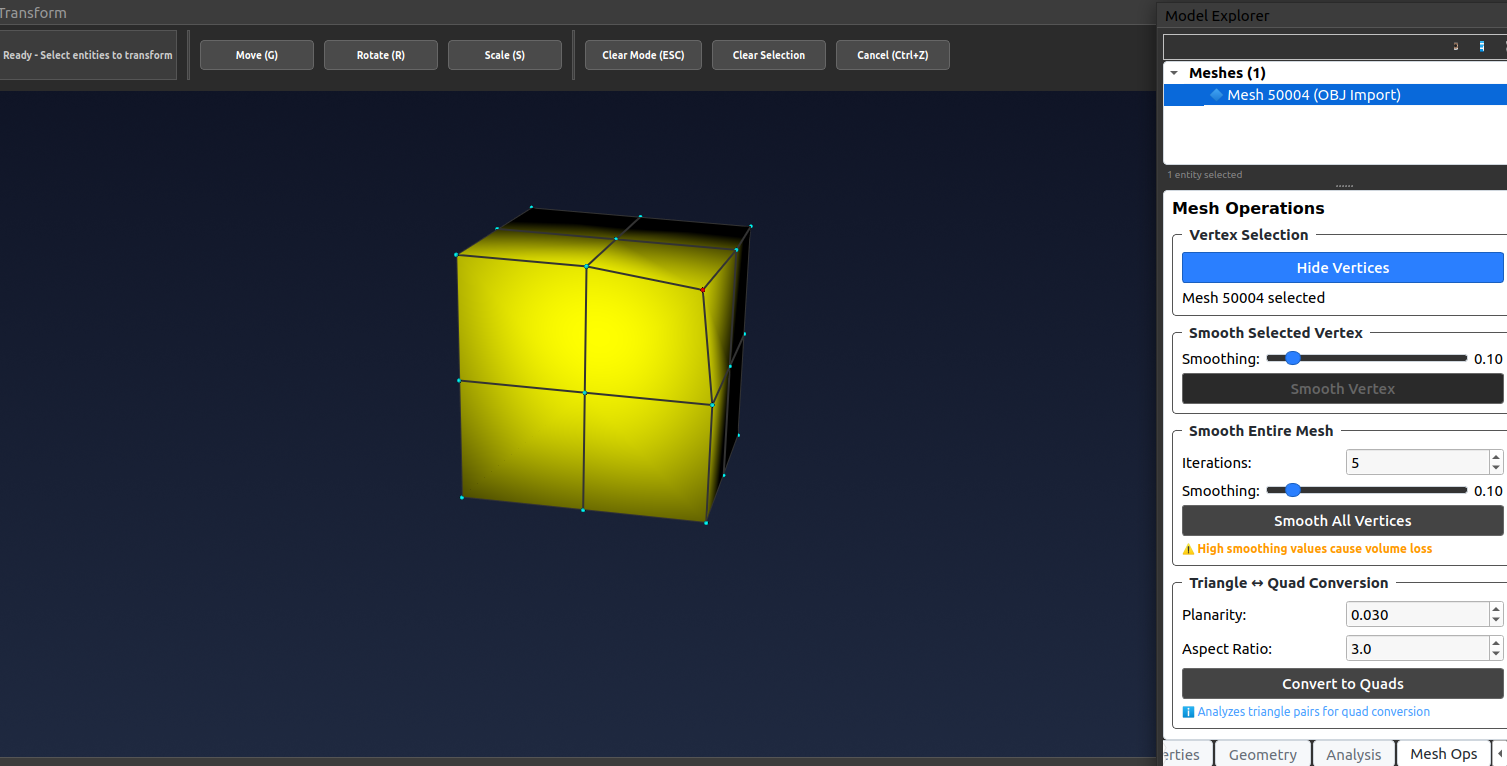
Select & Smooth Vertices
Interactive vertex selection with advanced smoothing for local mesh refinement and quality improvement
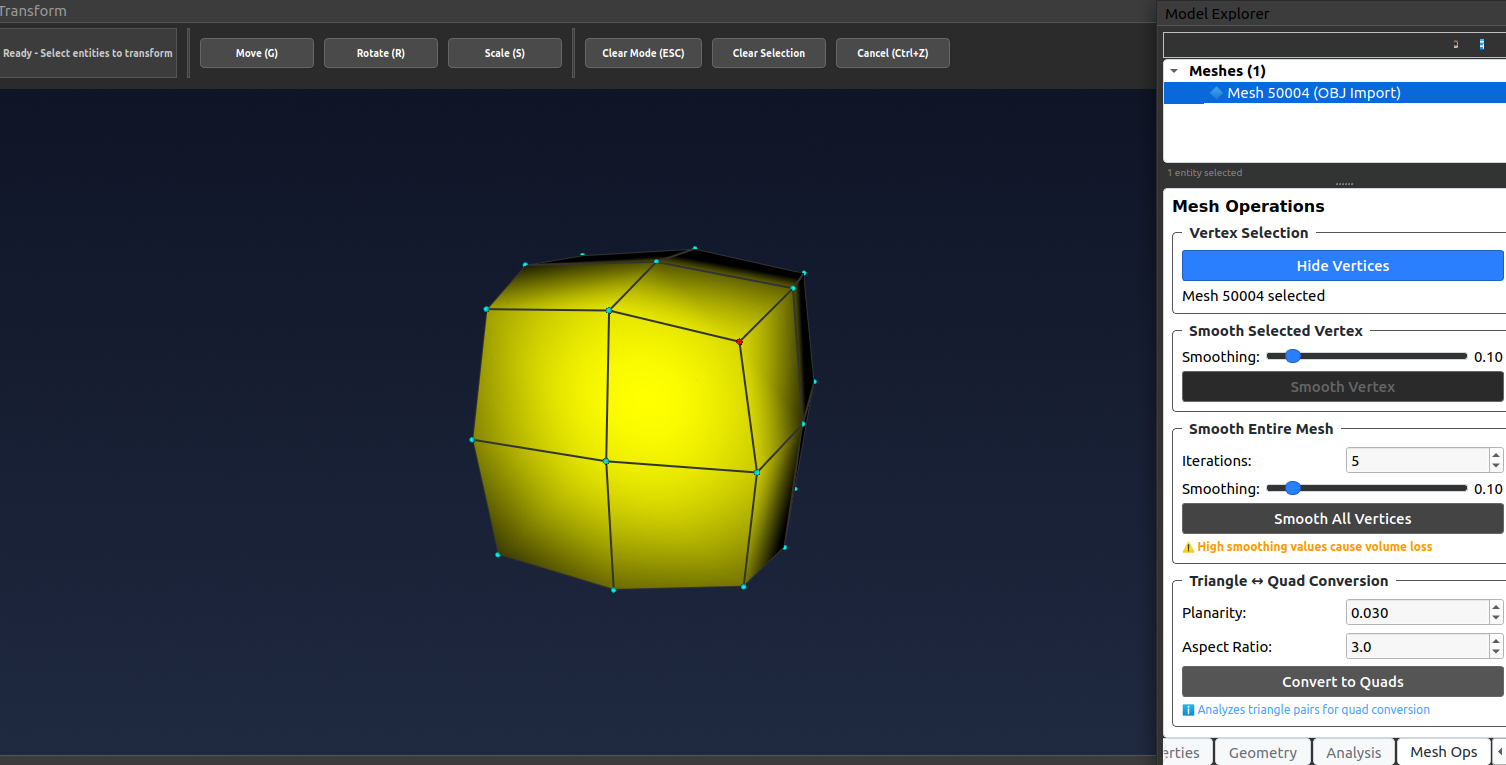
Smooth Entire Mesh
Apply global advanced smoothing to entire mesh with iteration control for surface fairness optimization
Advanced Mesh Operations & Repair
Professional tools to clean, optimize, and convert meshes for manufacturing, simulation, and SubD workflows.
Quad Mesh → Subdivision Surface
Convert clean quad-dominant meshes into true Catmull-Clark subdivision surfaces
with perfect topology preservation.
One-Click Mesh Repair
- Fill holes (boundary & interior)
- Remove degenerate/zero-area faces
- Merge duplicate vertices
- Fix non-manifold geometry
- Correct inconsistent normals
Intelligent Mesh Decimation
Reduce polygon count while preserving sharp edges, UV seams, and boundaries.
Real-time preview • Target count or % • Quality presets.
More Tools – Q1 2026
Remeshing • Advanced smoothing
Boolean operations • GLTF/3MF export
🔄 Triangle ↔ Quad Mesh Conversion
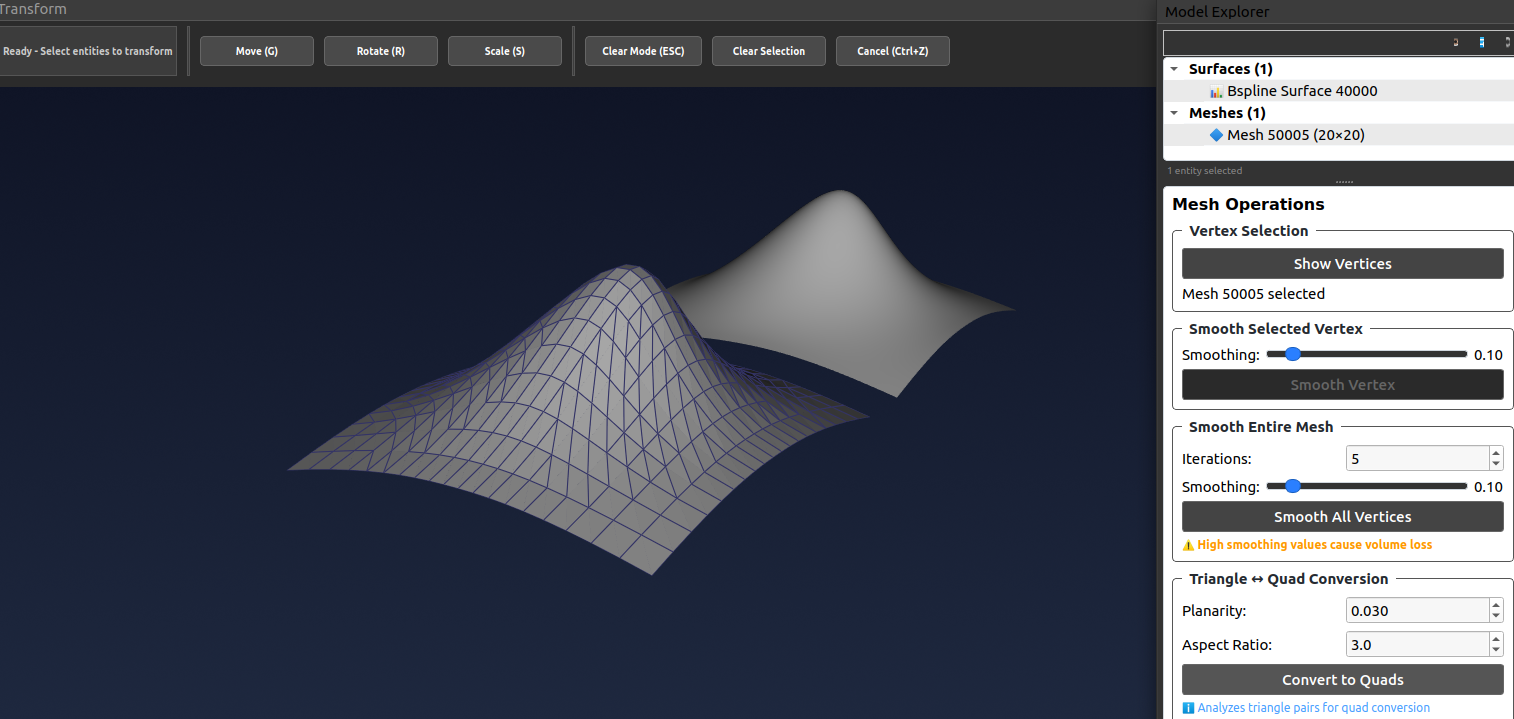
Intelligent Topology Conversion
Convert between triangle and quad mesh topologies with intelligent pairing algorithms. Quad meshes are essential for high-quality B-spline surface conversion.
- ✓ Triangle → Quad: Greedy pairing with planarity and aspect ratio quality metrics
- ✓ Quad → Triangle: Multiple diagonal selection strategies for optimal triangulation
- ✓ Quality Control: User-adjustable thresholds for conversion quality and element shape
- ✓ B-spline Ready: Quad-dominant meshes convert seamlessly to G1 B-spline surfaces
Professional mesh topology optimization for reverse engineering and surface reconstruction workflows
✏️ Curve Creation
🎯 Basic Curve Primitives
Line
Create precise straight lines with start/end point or direction vector specification
Circle
Full circles with center-radius definition or three-point construction
Arc
Circular arcs with center-radius-angle or three-point methods
Ellipse
Elliptical curves with major/minor axis control and rotation
📐 Advanced Parametric Curves
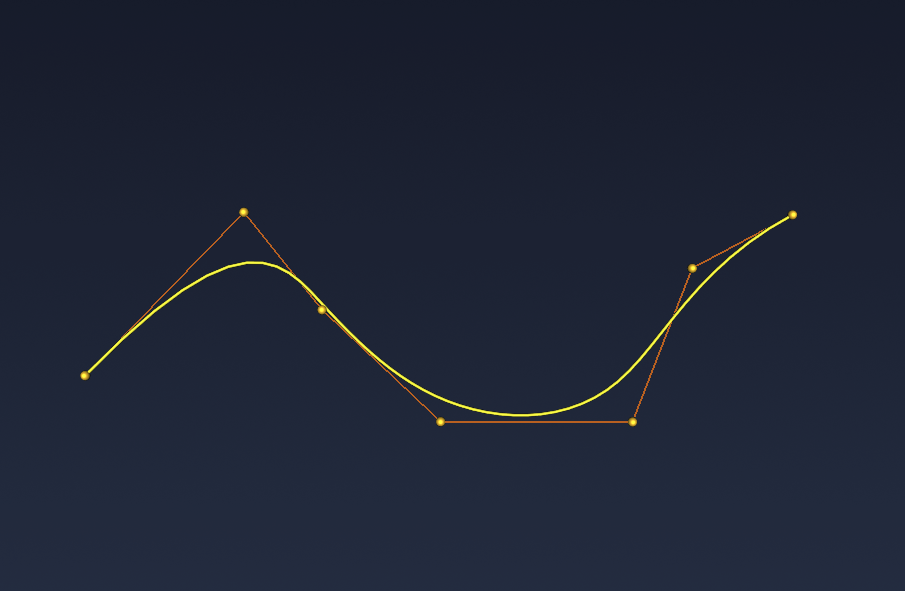
Bezier Curve
Polynomial Bezier curves with interactive control point manipulation and degree control
B-spline Curve
Industry-standard B-spline curves with local control, knot vector editing, and degree specification
NURBS Curve
Non-uniform rational B-splines with weight control for representing exact conics and complex shapes
📊 Curves from Point Data
Interpolate Through Points
Create smooth curves that pass exactly through specified point sets with tangent continuity
Fit Curve to Points
Best-fit curve approximation with tolerance control for noisy or dense point data
🔗 Curves from Curves
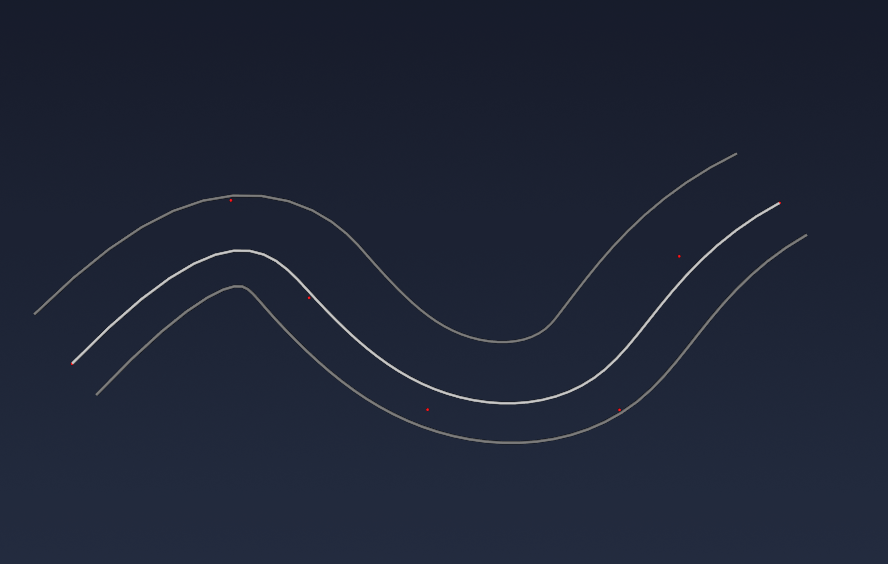
Offset Curve
Create parallel offset curves at specified distances with corner handling options
Extend Curve
Extend curve endpoints with linear, circular, or natural extension methods
Blend Curves
Create smooth G1/G2 continuous blend curves between two existing curves
🌊 Curves from Surfaces
ISO Parametric Curves
Extract constant-parameter (U or V) curves from surface parameterization
Boundary Curves
Extract edge boundary curves from surface trim loops and parametric bounds
Section Curves
Create section curves by intersecting surfaces with cutting planes at specified positions
Intersection Curves
Compute intersection curves between two surfaces with adaptive tessellation
🏗️ Surface Creation
📦 Basic Surface Primitives
Plane
Planar surfaces with origin, normal vector, and size specification
Sphere
Spherical surfaces with center, radius, and parameterization control
Cylinder
Cylindrical surfaces with axis, radius, and height specification
Cone
Conical surfaces with apex, axis, base radius, and height control
📊 Surfaces from Point Data
Interpolate Through Points
Create smooth surfaces that pass exactly through specified 3D point sets
Constrained Fit
Surface approximation that interpolates specified points while fitting remaining point cloud data
Best Fit Surface
Advanced point cloud surfacing with adaptive control point placement and fairness optimization
🌀 Single Profile Surfaces
Extrude Surface
Linear extrusion of profile curves along direction vectors with distance control
Revolve Surface
Surfaces of revolution from profile curves with axis specification and angle range
Pipe Surface
Constant or variable radius pipe surfaces swept along spine curves with cross-section control
🕸️ Multi-Curve Network Surfaces
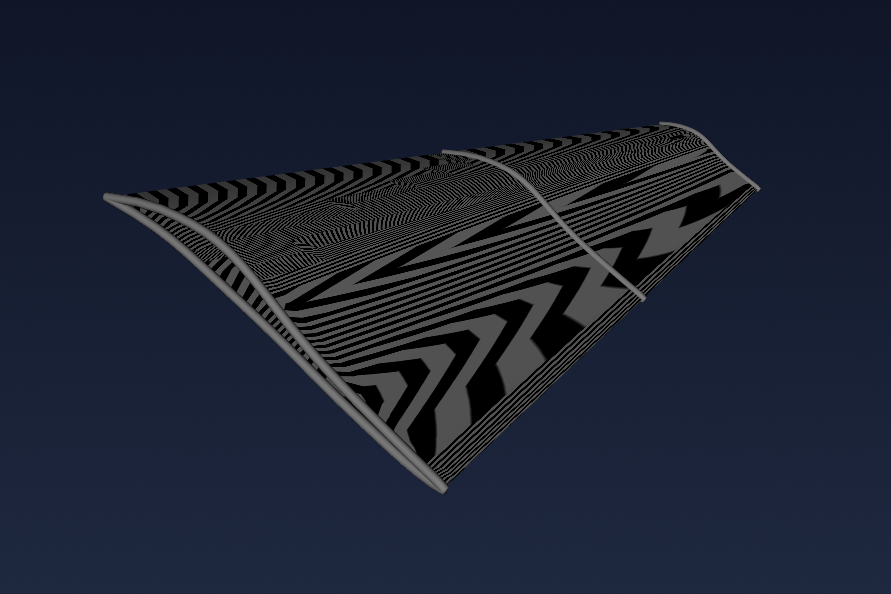
Loft Surface
Smooth blending between multiple profile curves with tangent continuity and guide curve support
Ruled Surface
Connect two boundary curves with straight ruling lines to create developable surfaces
Sweep Surface
Sweep profile curves along one or more path curves with scaling and rotation control
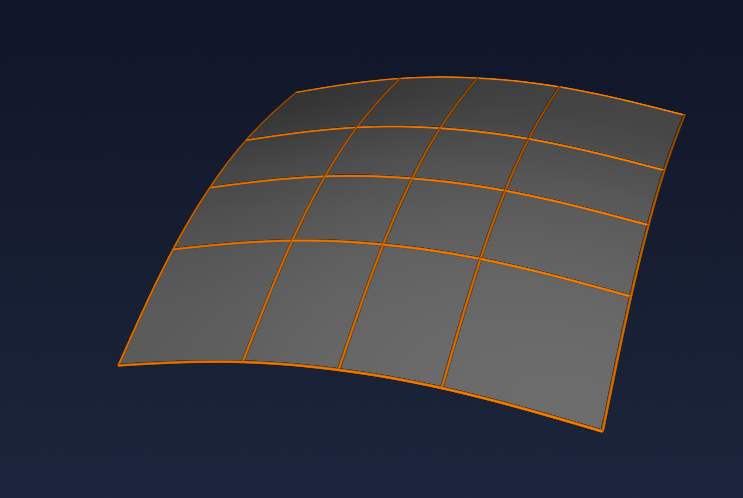
Through Curve Network
Create smooth surfaces through intersecting U and V curve networks with optimized fairness
🔺 Advanced Surface Patches
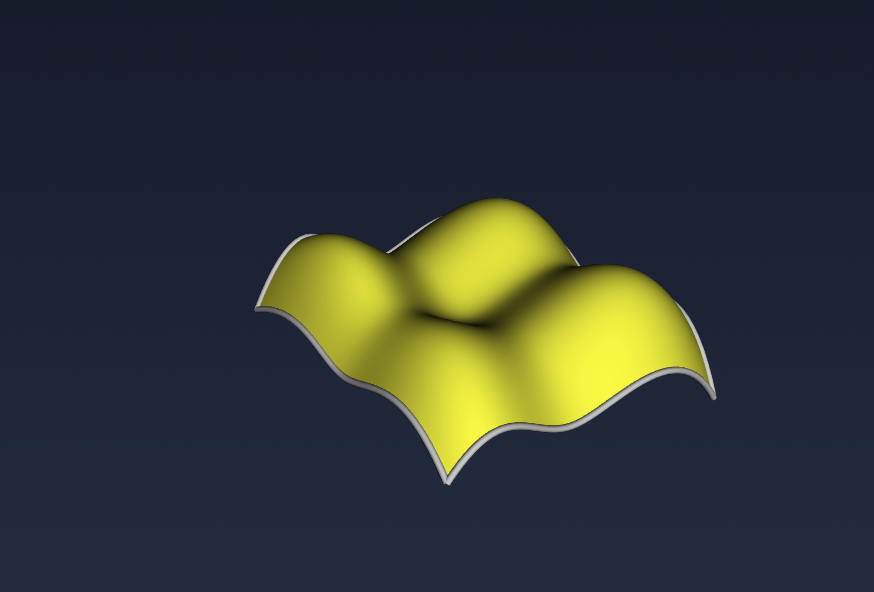
Coons Patch
Classic Coons patch with four boundary curves and optional G1/G2 continuity constraints
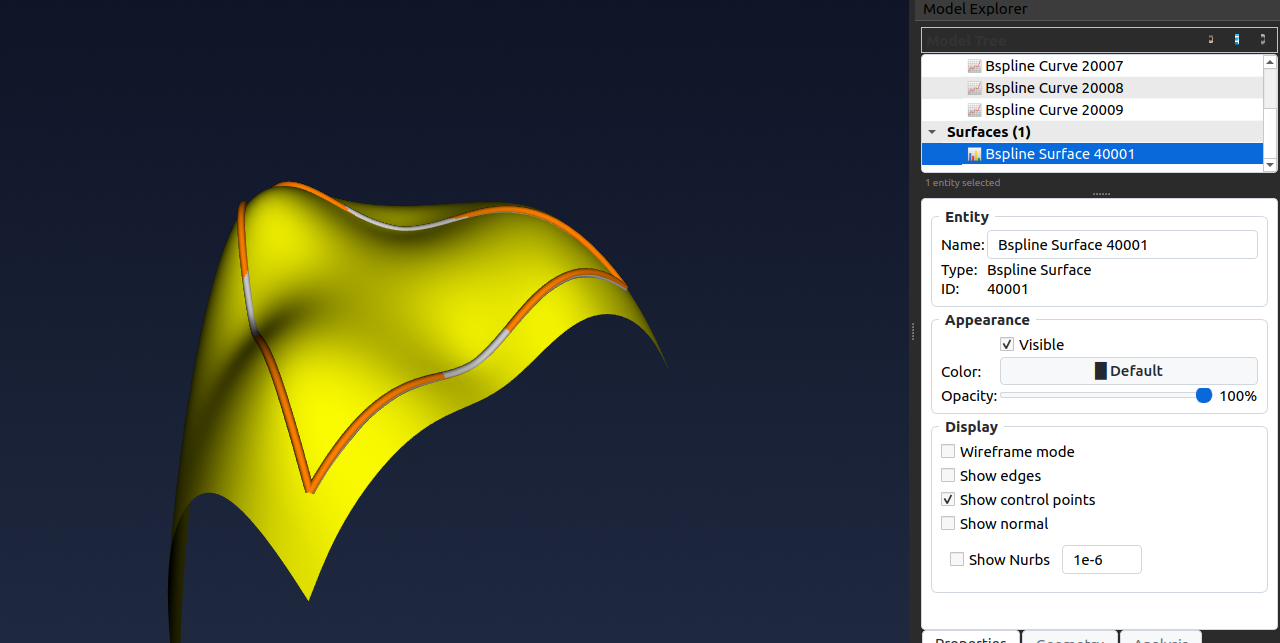
N-Sided Fill Surface
Fill N-sided boundary regions with smooth, high-quality surfaces for complex topology modeling
🔗 Blending & Filleting
G2 Blend Surface
Curvature-continuous blending between two NURBS surfaces with automatic position, tangent, and curvature matching at both boundaries, plus user-adjustable tangent scaling for precise control
Rolling Ball Blend
Constant radius fillet surfaces using rolling ball methodology with multiple ball radius support
✂️ Editing Operations
📏 Curve Operations
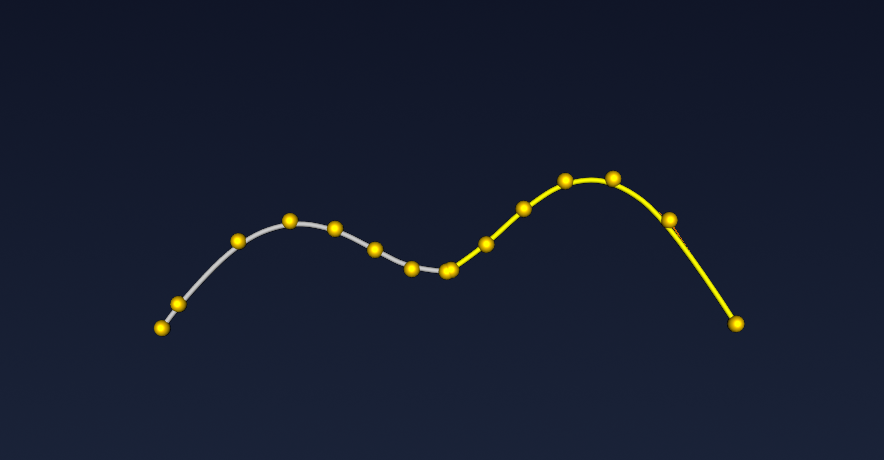
Split Curve
Split curves at parameter values or intersection points into separate segments
Trim Curve
Trim curves with boundaries or cutting objects with parameter range specification
Extend Curve
Extend curve endpoints using linear, arc, or smooth continuation methods
🏔️ Surface Operations
Split Surface
Split surfaces with curves or isoparametric lines into multiple surface patches
Trim Surface
Create trimmed surfaces with boundary curves defining visible/invisible regions
Extend Surface
Extend surface edges with linear, circular, or smooth continuation methods
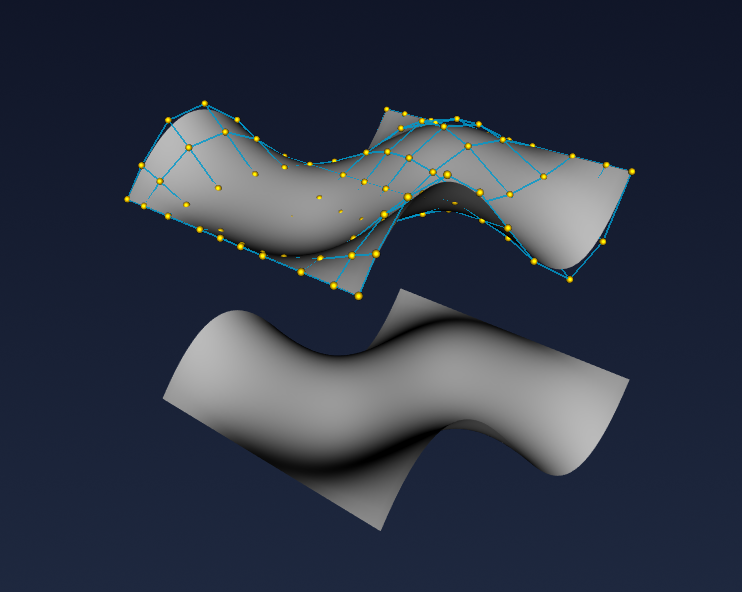
🎯 Interactive Editing & Transformation
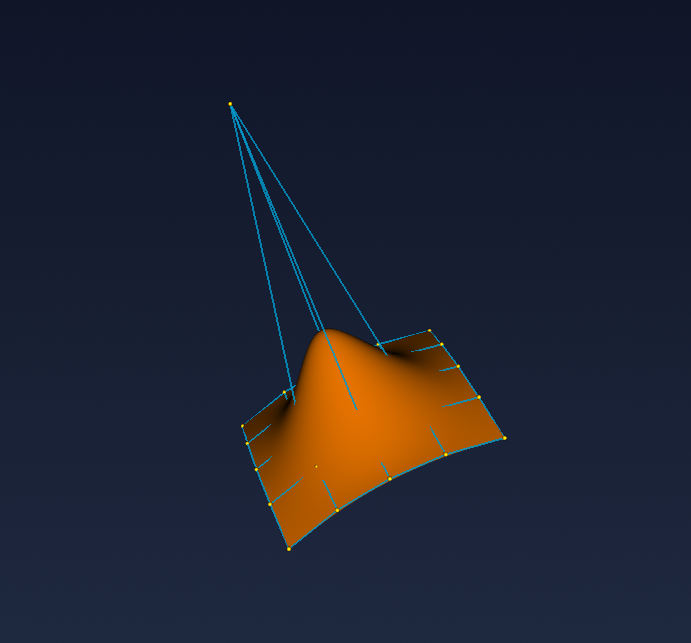
Control Point Editing and Local Transformation
Comprehensive curve and surface modification through direct manipulation. Control Point Editing: Directly manipulate control points by left-clicking to select and right-click dragging to move them in 3D space for intuitive shape refinement. Local Transformation: Perform precise Move, Rotate, and Scale operations on selected curves and surfaces using interactive local coordinate frames with axis-constrained transformations for accurate geometric positioning and modification.
🔬 Quality Analysis
📐 Curvature Analysis
Curvature Comb
Visual curvature analysis with comb display showing curvature magnitude and distribution
🦓 Surface Quality
Zebra Stripe Analysis
Reflection-based surface quality analysis with adjustable stripe patterns and lighting
Technical Excellence
🎯 Precision & Quality
- Industry-standard NURBS mathematics
- Tolerance-based geometric operations
- G0, G1, G2 continuity control
- Numerical stability optimization
⚡ Performance & Efficiency
- C++ computational kernel with Eigen optimization
- Real-time 3D visualization
- Interactive parameter adjustment
- Memory-efficient algorithms
🔧 Professional Workflow
- Comprehensive editing tools
- Keep original option for all rebuild operations
- Parametric constraint handling
- Quality analysis and validation